
ChatGPT Business Hub: How to Claim Your Business Profile in ChatGPT (Guide)
On 10 November 2026 OpenAI launched Businesses in ChatGPT, in beta. ChatGPT now keeps a profile for the businesses it mentions in its answers, and it does so whether or not you claim it. Through the new Business Hub you can claim that profile, correct the details and, for the first time, see how often ChatGPT mentions you and how many people it sends to your website.
This guide covers the claim step by step, which countries and business types can claim today, and what claiming does (and does not) change.
NOTE: This is not ChatGPT Business, which is a paid workplace plan for teams. Business Hub is for the profile of your business that ChatGPT users see.
Which countries can claim?
In short: online businesses can claim now, local and service businesses mostly cannot yet.
OpenAI says any eligible business located where ChatGPT is available can claim its profile. That covers Croatia, the rest of the EU and most of the world. But the beta has limits by business type:
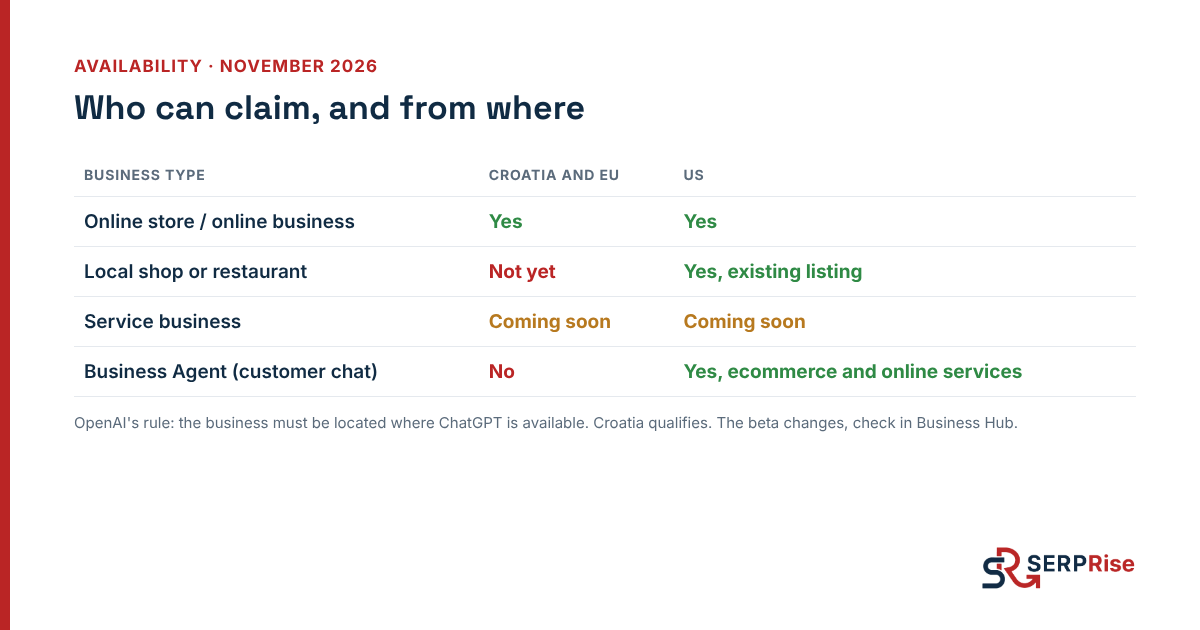
| Business type | Croatia and EU | US |
|---|---|---|
| Online store or online business | Yes | Yes |
| Local shop or restaurant | Not yet | Yes, existing listings only |
| Service business (agency, lawyer, repair) | Coming soon | Coming soon |
| Business Agent, a chat that answers customers | No | Yes, ecommerce and online services |
This is the state as of November 2026. The beta is changing fast, so check what is offered for your business in Business Hub itself. Existing ChatGPT advertisers and Enterprise customers claim through their OpenAI representative.
Before you start
Have four things ready so you do not get stuck halfway:
- A ChatGPT account that will manage the profile. Ideally a company account, not a personal one, so the profile does not depend on one person.
- One way to verify ownership: an email address on your company domain (e.g. info@yourcompany.com), a public business phone number, access to your domain’s DNS, or a Shopify store.
- A government ID for the person who will manage the profile.
- Your business registration details. For Croatian companies that is an extract from the court register or the crafts register, with your OIB.
The claim in 7 steps
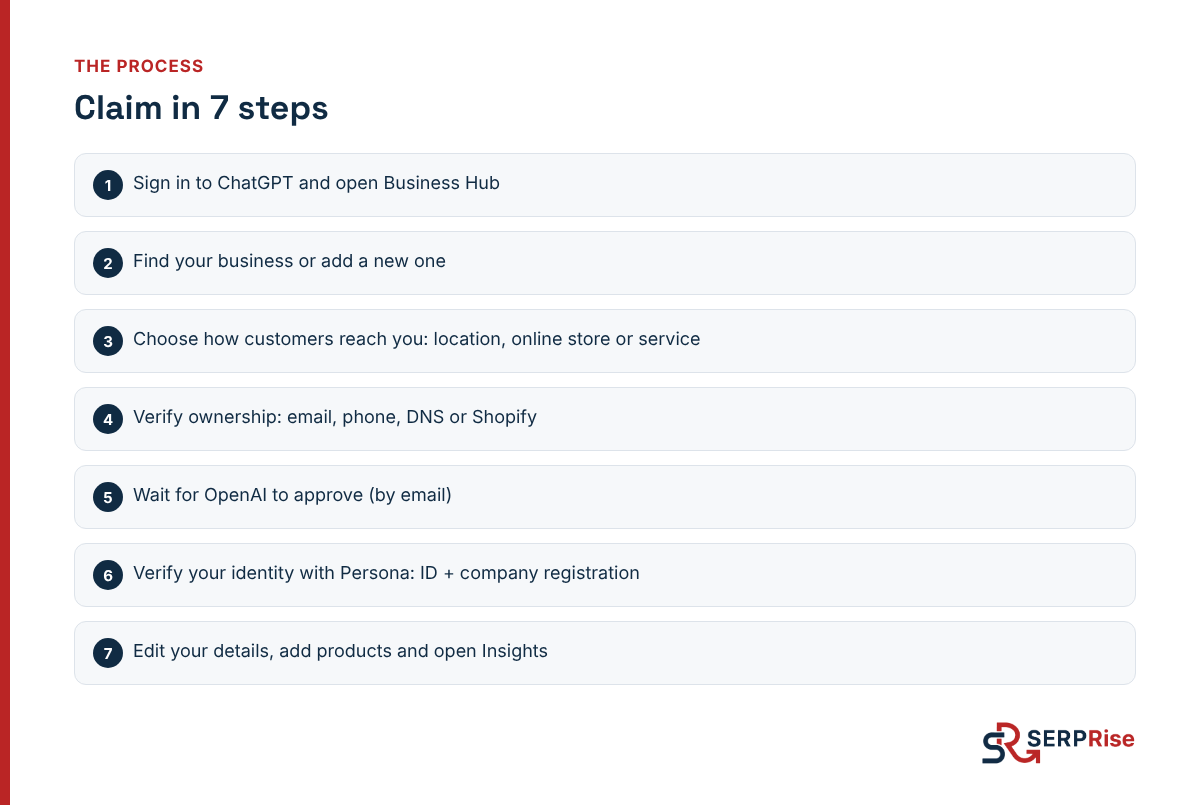
- Open Business Hub. Sign in to ChatGPT with the account that will manage the profile and open Business Hub (the address is chatgpt.com/business-hub). You need to be the owner or an authorised representative.
- Find your business. Search by name and select your listing. If there is none, add your business. If you see “Contact support” instead, the listing is locked and you need to contact support.
- Choose how customers reach you. The options are a physical location (offices included), an online store or a service. In the test on 10 November, service was marked “coming soon”.
- Verify ownership. Pick one of four methods (details below).
- Wait for the decision. OpenAI emails you its decision and may ask for more information.
- Verify your identity with Persona. Select “Verify with Persona”, then “Continue to Persona”. You need a government ID and your business registration details. If you added a new business yourself, the profile is published automatically once approved.
- Edit the profile. After verification you can update your business details, add product feeds with prices and availability, and open Insights.
Step 4 in detail: proving the business is yours
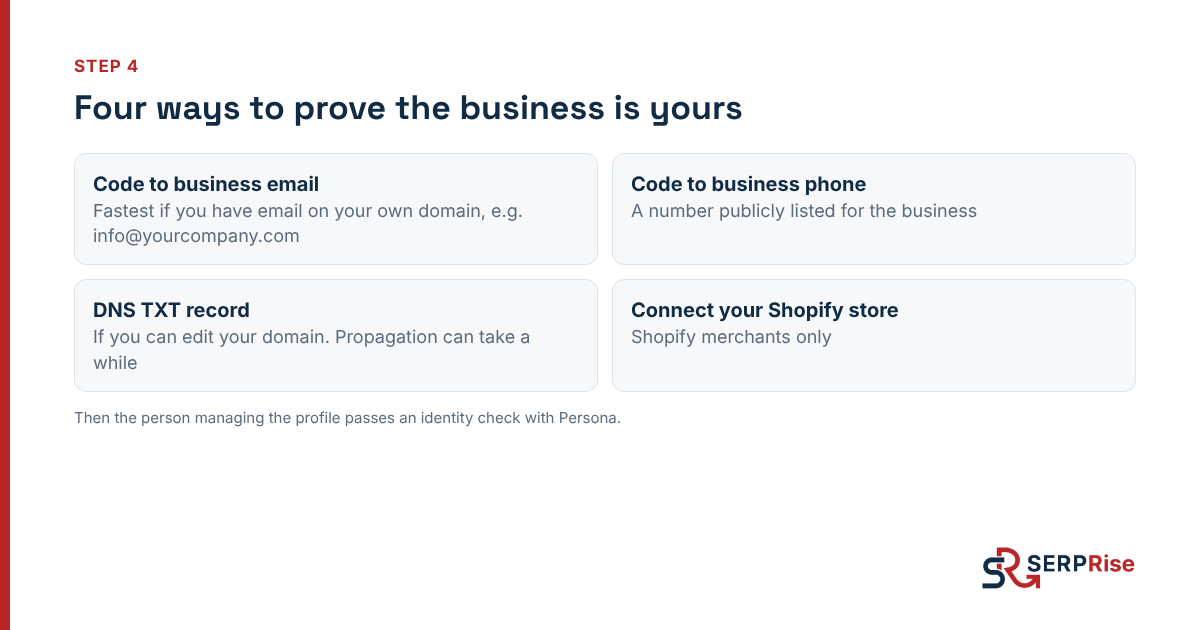
- Code to a business email. The fastest method if you have email on your company domain. A Gmail or Hotmail address does not prove you own the domain.
- Code to a business phone. A number publicly listed for the business.
- DNS TXT record. Business Hub gives you a value to add as a TXT record at your DNS provider (Cloudflare, Netlify, your registrar). It can show up within minutes, sometimes only after a few hours.
- Shopify. Shopify merchants can connect their store from Business Hub or from the Shopify admin.
After ownership is verified, the person managing the profile goes through a separate identity check. Without it you cannot publish changes or see Insights.
What Insights shows
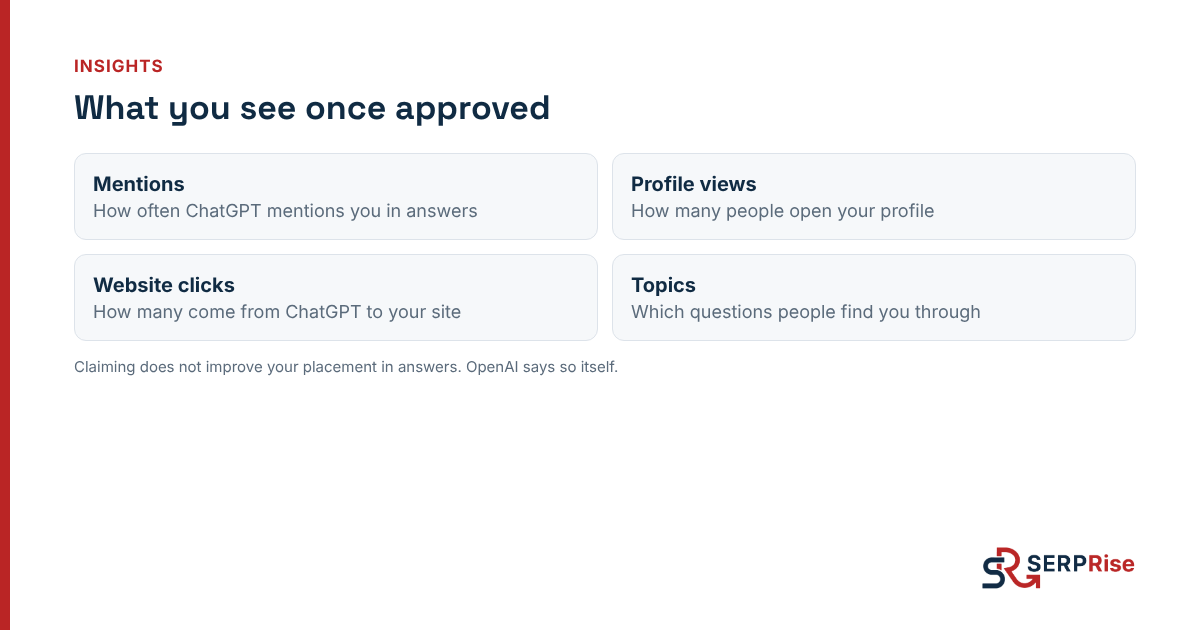
Once approved, Insights shows four things:
- Mentions: how often ChatGPT mentions you in answers.
- Profile views: how many people open your profile.
- Website clicks: how many people come from ChatGPT to your site.
- Topics: which questions people find you through.
That is new. Until now, AI visibility was measured by asking ChatGPT the same question many times and counting how often you appear. That is still how we do it in our 20-question check. Insights is the first number that comes from ChatGPT itself.
What claiming does not change
- You do not get better placement. OpenAI states plainly that claiming does not guarantee better placement in answers or more sales.
- You do not choose what ChatGPT says about you. The profile gives you control over facts: name, address, what you sell. What ChatGPT says about you still comes from the web: your site, reviews and articles that mention you. More on that in our guide to LLM visibility.
- The profile exists even if you do not claim it. ChatGPT can build one from what it finds. That alone is a reason to check what it says.
What it means in practice
It looks a lot like the early days of Google Business Profile: whoever claimed and cleaned up their profile first had accurate data in Google, and everyone else was fixing mistakes someone else had entered.
- If you run an online store or online business, claim the profile now. It takes about half an hour, and you get data nobody else has: how often ChatGPT mentions you and for which questions.
- If you are a local or service business, you cannot claim yet, but you can already work on what ChatGPT learns from: a page that clearly says what you do and where, reviews, and mentions on publications AI reads. For Croatia, see our list of publishers.
- If you manage several brands or clients, decide up front who manages the profiles and from which account, because the identity check is tied to a person.
FAQ
Which countries can claim a business in ChatGPT?
OpenAI says any eligible business located where ChatGPT is available can claim its profile, which includes Croatia and the rest of the EU. As of November 2026, local shops and restaurants can only claim existing US listings, the service business option is marked 'coming soon', and online businesses can claim now.
Does Business Hub cost anything?
According to launch reports, claiming and managing a profile is free. OpenAI has not published pricing for Business Hub.
Will claiming my profile improve my ranking in ChatGPT?
No. OpenAI states that claiming a profile does not guarantee better placement or more sales, and that ChatGPT may create a profile whether or not you claim it.
Is Businesses in ChatGPT the same as ChatGPT Business?
No. ChatGPT Business is a paid workplace plan for teams. Businesses in ChatGPT, through Business Hub, is for managing the business profile ChatGPT shows to users.
Sources
- OpenAI: Introducing Businesses in ChatGPT
- Tilio: How to claim your business in ChatGPT (claim flow tested 10 Nov 2026)
- Search Engine Watch: ChatGPT lets you claim your business and track the clicks it sends you
- VentureBeat: OpenAI lets you claim your business in ChatGPT
- Trending Topics: Businesses in ChatGPT and Business Hub